KVM Switch Alternative: Switch Two Computers for Under $20
Skip the $100+ KVM switch: a sub-$20 USB switch plus your monitors' automatic input switching lets two computers share one keyboard, mouse and monitors.
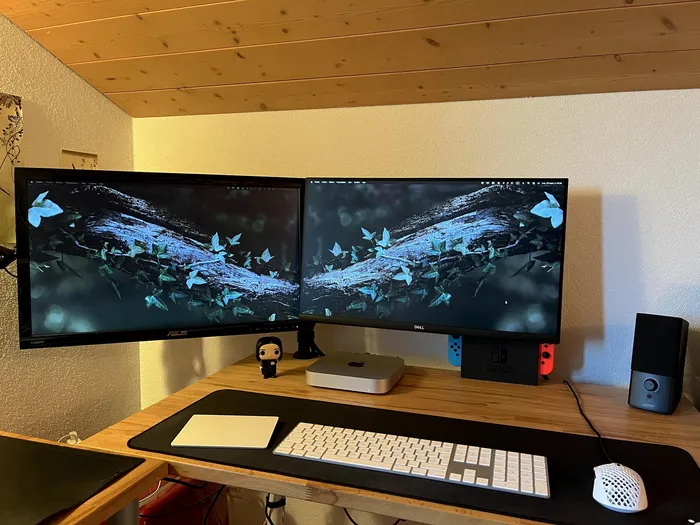
You don't need a KVM switch to share one keyboard, mouse and set of monitors between two computers. I use a USB switch that costs under $20 for my peripherals and let my monitors switch inputs on their own. When I wrote this in early 2025, the setup had been running daily for four years and had saved me hundreds of dollars.
If you work from home or have a dual-computer setup, you've probably run into this problem: how do you switch all your peripherals and monitors between two machines without the hassle?
Most people assume the answer is a KVM (Keyboard, Video, Mouse) switch, but a decent one with dual-monitor support can cost over $100. There are some cheaper Temu-grade models, but those often support only one monitor.
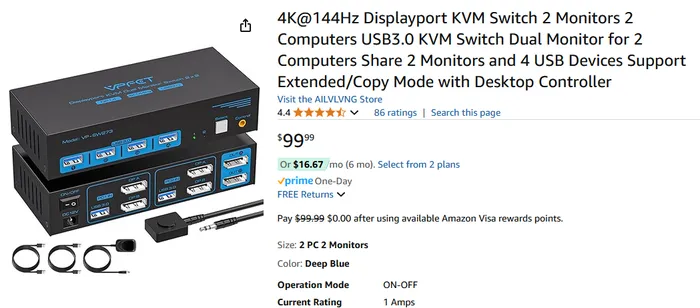
Here's the cheaper way.
Step 1: A Simple USB Switch for Your Peripherals
The trick is to separate your USB peripherals from your monitors and handle them independently.
Instead of a full KVM switch, I use a USB switch. It's a tiny, simple box that lets me toggle which computer gets my peripherals at the press of a button.
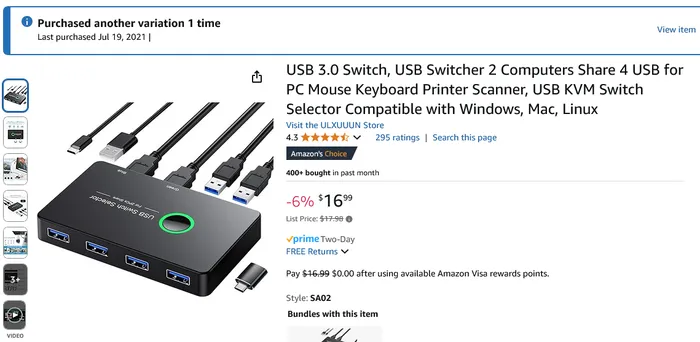
The USB switch I use supports four USB devices. I've got these plugged into it:
- ✅ Keyboard
- ✅ Mouse
- ✅ Webcam
- ✅ USB speaker
Press the button and it instantly swaps all four to the other computer. For less than $20.
Step 2: Let Your Monitors Switch Themselves
You might be wondering, "But what about my dual monitors? Don't I need a KVM switch for that?"
Nope. Most modern monitors already have automatic input switching built in. (It's worth double-checking that yours does, especially if it's older.) Your monitor almost certainly has more than one input, whether that's HDMI, a couple of DisplayPorts, or even VGA or DVI.
- Connect both computers to each monitor, using different ports.
- When you want to switch computers, put the one you're not using to sleep.
- The monitors automatically detect the live input and switch over.
No extra hardware. No fumbling with monitor buttons. Just seamless switching.
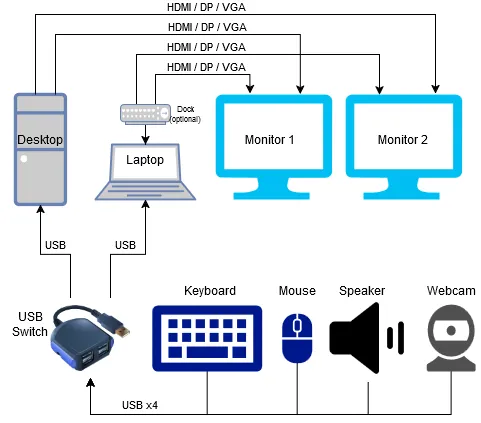
USB Switch vs KVM Switch
| Dual-monitor KVM switch | USB switch + monitor inputs | |
|---|---|---|
| Cost | $100+ | Under $20 |
| Video path | Through the KVM | Each monitor plugged straight into each computer |
| How you switch | One button | USB button, then sleep the other computer |
| What to check first | Supported resolution and refresh rate | Monitor has auto input switching (or use its input button) |
- Cheaper: A KVM switch with dual-monitor support costs $100+, while my USB switch is under $20.
- More reliable: KVM switches can introduce compatibility issues, lag or quirks with high-resolution monitors. My setup avoids that entirely, because each monitor connects directly to each computer.
- Long-lasting: My USB switch has outlasted multiple peripherals over four years without a hitch.
The Bottom Line
If you need a simple, cheap way to switch between two computers, don't spend money on a KVM switch:
- ✅ Use a USB switch for your keyboard, mouse and other peripherals.
- ✅ Let your monitors auto-switch inputs when one computer sleeps.
This setup saves you over $100, and after four years of daily use I'd never go back to a traditional KVM switch.
If you're cutting tech costs, you can also negotiate your internet bill down with one phone call.
Frequently asked questions
- What is a cheaper alternative to a KVM switch?
- A USB switch for your peripherals plus your monitors' own inputs. The USB switch moves your keyboard, mouse and other USB devices between two computers with one button, and each monitor connects directly to both computers.
- How do I switch monitors between two computers without a KVM?
- Connect each computer to a different input on each monitor (for example HDMI for one and DisplayPort for the other). Most modern monitors switch automatically to the active input when the other computer goes to sleep. If yours doesn't, use the monitor's input button.
- How many devices can a USB switch handle?
- The one I use has four USB ports, which covers my keyboard, mouse, webcam and USB speaker, and it toggles all four between two computers at the press of a button.
- Is a USB switch better than a KVM switch?
- For a dual-monitor setup it's much cheaper, and because each monitor plugs straight into each computer there's no video passing through a switch to cause lag or resolution quirks. The tradeoff is that you put one computer to sleep (or press a monitor button) to change screens.