Travel Routers on Cruise Ships: Share One Wi-Fi Package
Share one cruise Wi-Fi package with your whole group using a $30 travel router, add a FireTV stick, and know Royal Caribbean's 2026 router rules.
Cruise Wi-Fi is sold per device, at roughly $20 to $35 per day for each one. A family of four carrying a phone and a tablet each is looking at more than $1,100 on a 7-day sailing. The alternative most people fall back on is logging one device in and out all week, which gets old by the second sea day.
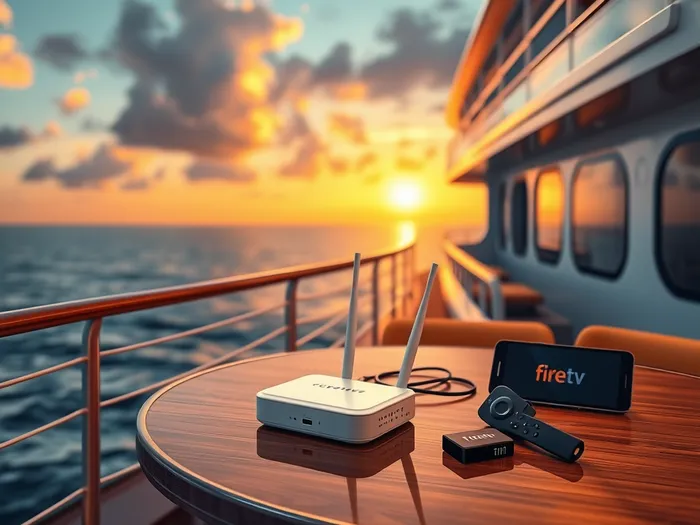
Buy one package instead and feed it into a travel router. The router logs in to the ship's portal once, then broadcasts its own network that everyone joins. One package plus a $29 router covers the whole week for roughly $170 to $260.
There is a second reason to do this even if you are sailing alone. A FireTV stick has no web browser, so it cannot fill in the ship's login page by itself and simply will not connect. Behind a travel router it never has to, because the router already did the logging in.
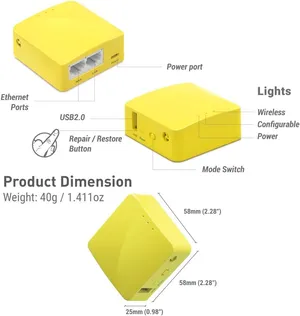
I run a GL.iNet Mango for this. It weighs 1.5 oz and costs about $29, which is roughly what a second device's internet package costs for a single day.
Which Router: the Cheap "Mango" or the Much More Powerful "Slate"
Any of these GL.iNet routers can log in to a cruise ship's Wi-Fi portal and rebroadcast it. The difference is how many devices they handle comfortably and how fast your own network is.
| Router | Best for | Approx. price (Sept 2026) |
|---|---|---|
| Mango (GL-MT300N-V2) | A few phones and one streaming stick | $30 |
| Opal (GL-SFT1200) | A small group that wants dual-band Wi-Fi | $40 |
| Beryl (GL-MT3000) | Lots of devices, Wi-Fi 6 | $99 |
| Slate (GL-AXT1800) | Heavy streaming or working remotely, Wi-Fi 6 | $120 |
Amazon prices move around, so treat these as ballpark figures.
What You'll Need
- Portable Travel Router
Recommended options include the GL.iNet GL-MT300N-V2 ("Mango") or GL.iNet GL-SFT1200 (Opal). These are compact, reliable, and perfect for travel. I use the Mango. It is super light, only 1.5 oz, and it doesn't have extra features I don't need. - Power Source
Many travel routers are USB-powered, so you'll need a power bank if you plan to carry it around, or an outlet adapter if you're using it in your cabin. - Cruise Ship Internet Package
Purchase the package for only one device. This will be the connection for your router.
Good: GL.iNet GL-MT300N ("Mango")
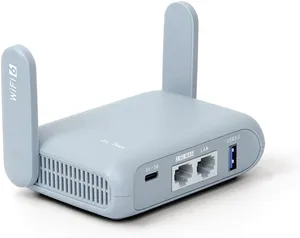
Better: GL.iNet GL-MT3000 ("Beryl")
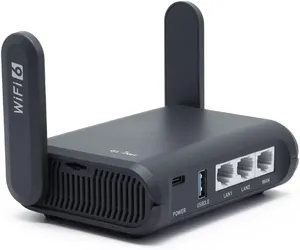
Best: GL.iNet GL-AXT1800 ("Slate")
Setup Before You Cruise
- Update Firmware
Check for firmware updates to ensure your router is running smoothly and securely. - Test Your Router
Set it up at home with your regular Wi-Fi to familiarize yourself with the process. This ensures you won't run into problems during the cruise, where you won't have internet to troubleshoot. - Choose a Good (and Funny) Wi-Fi Name
I chose "Not Royal Caribbean" in case anyone gets confused lol - Pre-configure Your Devices
Connect all your smartphones, tablets, laptops, and streaming devices to your router's network so they'll connect automatically when you set it up on the ship.
Setup Once You're on the Ship
- Connect to Your Router
Connect via your phone or laptop, and open your router's admin page. On GL.iNet routers it's usually "192.168.8.1". - Connect the Router to the Cruise Wi-Fi
From the router admin page, connect the router to the ship's Wi-Fi network by name. - Log in to the Cruise Wi-Fi
Log the travel router in to the ship's Wi-Fi using the credentials for your internet package. Most routers have a web portal where you can enter login details. On Royal Caribbean, it's "login.com". - Create Your Personal Wi-Fi Network
Set up the router to broadcast a private Wi-Fi network. Use a password to secure it. - Connect Your Devices
Join your smartphones, tablets, and other devices to your personal Wi-Fi network. The router will handle the rest, sharing the connection seamlessly. - Portable Mode
If you're planning to move around the ship, plug the router into a power bank and carry it in a small bag or purse. This way, your connection remains intact wherever you go.
My Personal Setup
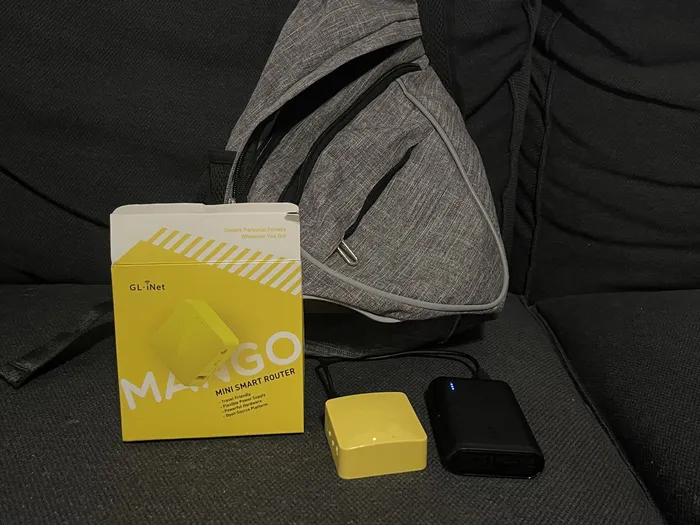
This is my setup: the "Mango", my smallest micro-USB charging cable, a small battery bank, and a sling bag. (Honestly it's so small it could just fit in your pocket! I carry a bunch of other stuff, so a sling bag works great for me.)
Tips and Tricks
- Best Placement in Your Cabin
Place the router near a window or balcony for the strongest signal from the ship's network. - Power Efficiency
Choose a power bank with at least 10,000mAh capacity to ensure your router runs all day. Remember to charge the battery every night, or bring a spare. - Streaming Content
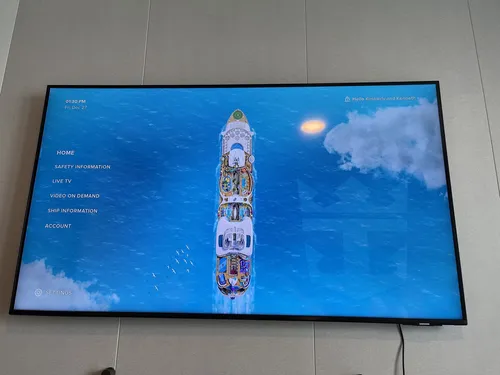
For FireTV sticks or other media devices, pre-download your apps or content at home to save time. On Royal Caribbean you'll also need to switch the cabin TV to the HDMI input, which is trickier than it sounds: see how to change the TV input on Royal Caribbean's Samsung TVs. - Free Texting Without a Package
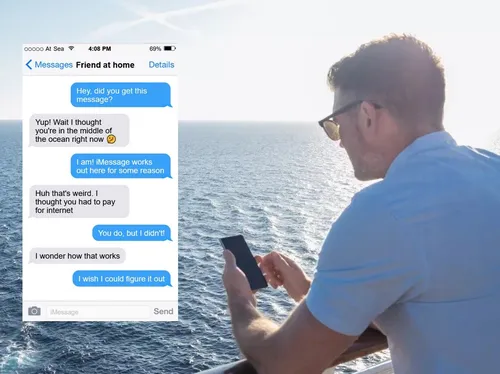
Before you buy anything, check whether iMessage already works. On several lines it does, for free, because of how Apple push notifications are routed. See Why iMessage Works on Cruise Ship Wi-Fi Without Paying.
Savings Breakdown
Cruise lines sell Wi-Fi per device, per day. On a February 2026 Star of the Seas sailing, Royal Caribbean charged $32.99 a day for one device on a 7-night package, or $26.99 per device per day for a 4-device bundle. Here's a family of four with two devices each on a 7-day cruise:
| At $20/day per device | At $30/day per device | |
|---|---|---|
| 8 devices, each with its own package | $1,120 | $1,680 |
| 1 package + a $29 travel router | $169 | $239 |
| Savings | $951 | $1,441 |
Multi-device bundles shave a little off the per-device price, but nowhere near enough to close that gap.
Why Use a Travel Router?
- Convenience: All your devices connect automatically once the router is set up. No more re-entering credentials.
- Savings: Share one package among multiple devices.
- Functionality: Enables streaming on devices like FireTV sticks that can't log in directly.
- Portability: Carry it around the ship for uninterrupted connectivity.
With a little preparation and a small investment in a travel router, you can stay connected on your cruise without breaking the bank, whether you're working remotely, keeping in touch with family, or streaming your favorite shows.
Is This Against Cruise Line Policy?
Yes, on the two biggest lines. Royal Caribbean and Carnival both restrict routers (details below), and sharing one package across many devices may also conflict with the internet package's terms. Other lines vary, so check the prohibited items list and package terms for your cruise line before you pack one. If you bring one anyway, use discretion when setting it up.🤫
Royal Caribbean's Travel Router Policy
In December 2024, Royal Caribbean added travel routers and networking equipment to their prohibited items list, citing concerns over cybersecurity and electronic crime. The wording has been revised twice since. While this might sound serious, enforcement of this policy appears to be more of a deterrent than a widespread crackdown.
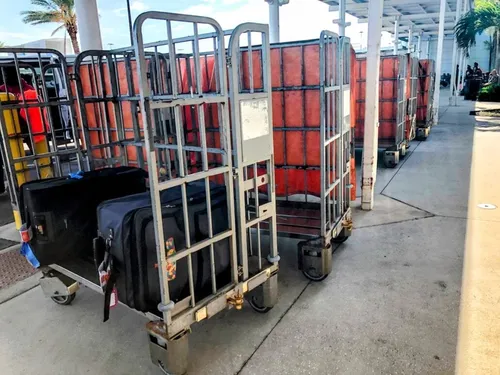
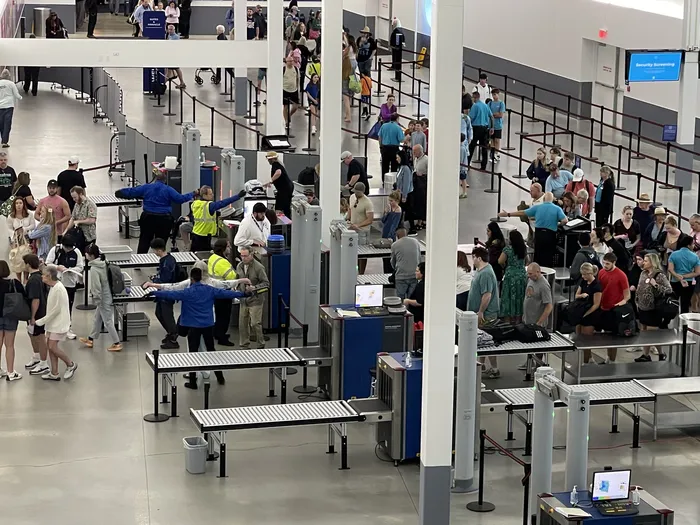
The truth: Security screening at the terminal is generally handled by independent contractors, and their main priority is spotting clearly banned items like weapons, alcohol, or other contraband. Networking devices are not their primary focus. In practice, travel routers seem to fly under the radar, in part due to their inconspicuous nature and tiny size. That said, enforcement can vary depending on the port and situation, so there's always a small element of risk.
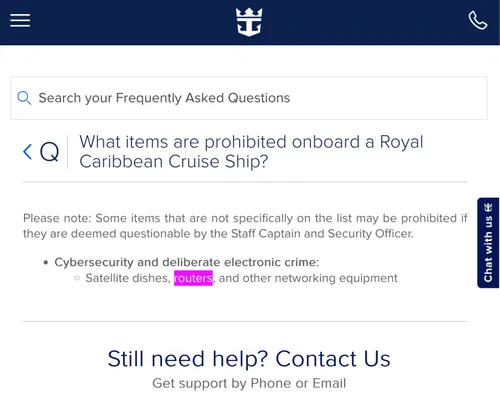
As originally written in December 2024, the restriction read:
Cybersecurity and deliberate electronic crime:
- Satellite dishes, routers, and other networking equipment
In early 2026 it was revised to add a catch-all clause (reported by Royal Caribbean Blog in January 2026):
Cybersecurity and deliberate electronic crime equipment, including satellite dishes, routers, and other networking equipment, and any other deliberate electronic interference which would constitute criminal activity.
As of September 30, 2026, the page has been restructured again. Royal Caribbean's prohibited items page no longer mentions routers by name. Instead, under "Items Permitted Only With Review or Special Handling," it prohibits "electrical items and electronic equipment not designed for personal grooming," with a list that includes power strips, HAM radios, "cybersecurity devices, and electronic-crime equipment." The listed exceptions for that item are certified device chargers and low-power walkie-talkies.
So routers are no longer singled out, but the new catch-all is broader, not narrower: a travel router is electronic equipment that isn't for grooming. The page also says that anything not expressly listed can still be refused, and that the ship's security team has the final say. Carnival Cruise Line has a similar restriction (banning routers and "other internet-related equipment"), but anecdotal reports suggest that neither line actively hunts for travel routers at embarkation.
If you do decide to bring a travel router, discretion is your best friend. Keep it packed away without the packaging and commingled with all your other electronics. Avoid making a big deal of setting it up once onboard. Technically, there's always a chance your device could be confiscated, but in reality, the enforcement seems more bark than bite.
As always, the choice is yours, and if you do decide to take the chance, you'll likely enjoy significant savings and added convenience. Just remember: we're not responsible if you run into trouble, so proceed with caution!
Frequently asked questions
- Are travel routers allowed on Royal Caribbean cruises?
- Not officially. From December 2024 into 2026 Royal Caribbean's prohibited items list named routers and other networking equipment outright. As of September 2026 the page no longer names routers, but it still prohibits electronic equipment not designed for personal grooming, including cybersecurity devices, and security can confiscate anything it deems questionable.
- Can a FireTV stick connect to cruise ship Wi-Fi?
- Not by itself. A FireTV stick has no web browser, so it cannot complete the ship's login page. Behind a travel router it works, because the router has already logged in to the ship's network for it.
- How much is Royal Caribbean Wi-Fi per day in 2026?
- Royal Caribbean sells its VOOM package per device, per day. On a February 2026 Star of the Seas sailing it was $32.99 a day for one device on a 7-night package, dropping to $26.99 per device per day for a 4-device bundle.
- Which travel router is best for a cruise?
- The GL.iNet Mango (about $30) is enough for a few phones and a streaming stick and runs off a small power bank. The Beryl or Slate (about $100 to $120) is worth it if you have many devices, stream a lot, or want faster Wi-Fi 6.
- Can I share one cruise internet package without a router?
- Only by taking turns. A Royal Caribbean package allows a set number of devices online at once, and logging in a new device bumps an existing one off. A travel router avoids that because the ship only ever sees the router.